ZPL commandsBarcodes
^BQQR Code bar code
✓Supported by zplkit
QR Code. The field data starts with the error correction level and input mode, e.g. QA for level Q with automatic input.
Format
^BQa,b,c,d,eParameters
| Parameter | Description | Default |
|---|---|---|
a | OrientationN only | |
b | Model1 or 2, 2 recommended | 2 |
c | Magnification factor1 to 100 | 1 at 150 dpi, 2 at 200 dpi, 3 at 300 dpi, 6 at 600 dpi |
d | Error correctionH, Q, M or L | Q |
e | Mask value0 to 7 | 7 |
Example
Edit it to see what prints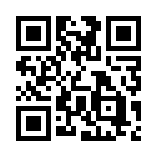
In zplkit: label.qrCode() or <QrCode>