ZPL commandsLabels and formats
^PMPrinting Mirror Image of Label
✓Supported by zplkit
Prints the whole label as a mirror image, flipped left to right.
Format
^PMaParameters
| Parameter | Description | Default |
|---|---|---|
a | Mirror imageY or N | N |
Example
Edit it to see what prints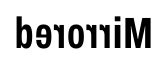
^MUSet Units of Measurement
Sets the units for positions and sizes: dots, inches or millimeters. It can also convert a format designed for one resolution to another.
^POPrint Orientation
Rotates the whole label 180 degrees, for when labels come out of the printer upside down relative to how you want them.